
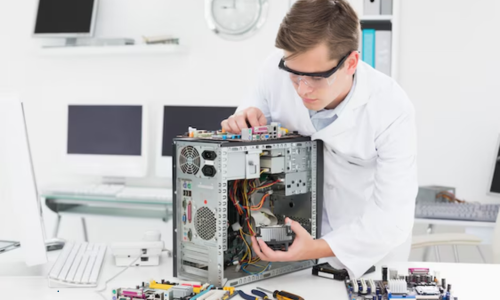
Computer Repair Service: Everything You Need to Know Before Fixing Your PC
When your computer suddenly slows down, crashes, or refuses to start, it can disrupt your work, studies, and daily life. That’s why understanding computer repair service options is essential before attempting any fixes. Whether it’s a broken screen, software errors, virus attacks, or hardware failures, knowing what to expect from a professional repair service can save you time, money, and frustration.
In this complete guide, we’ll walk you through everything you need to know about computer repair services—common problems, repair processes, costs, DIY vs professional options, and how to choose the right technician.
What Is a Computer Repair Service?
A computer repair service involves diagnosing, troubleshooting, and fixing issues related to hardware, software, or system performance. These services are provided by trained technicians who use specialized tools and expertise to restore your device to optimal working condition.
What Do Computer Repair Services Cover?
-
Hardware repairs (screens, keyboards, batteries, motherboards)
-
Software troubleshooting
-
Virus and malware removal
-
Data recovery
-
Operating system installation
-
Performance optimization
-
Network and connectivity fixes
-
Laptop and desktop upgrades
Common Computer Problems That Need Repair
Many users ignore small issues until they become serious. Early intervention can prevent costly damage.
1. Slow Performance
Caused by low storage, outdated software, malware, or RAM issues.
2. Blue Screen Errors
Often linked to system crashes, driver conflicts, or hardware failures.
3. Overheating
Dust buildup, faulty fans, or thermal paste issues.
4. Broken Screen or Display Problems
Cracks, flickering, or black screens.
5. Battery Issues
Drains quickly, won’t charge, or shuts down unexpectedly.
6. Virus and Malware Attacks
Pop-ups, data theft, slowdowns, and crashes.
7. Booting Problems
System won’t start or stuck in a loop.
Why Professional Computer Repair Services Matter
Many people try to fix issues using online tutorials, but this often makes things worse.
Benefits of Professional Repair
-
Accurate diagnosis
-
Proper tools and techniques
-
Safe data handling
-
Faster resolution
-
Warranty on repairs
-
Long-term reliability
A professional technician doesn’t just fix the visible problem—they address the root cause.
DIY Repair vs Professional Service
Let’s compare both approaches.
DIY Computer Repair
Pros:
-
Saves money
-
Good for simple issues
-
Immediate action
Cons:
-
Risk of further damage
-
No warranty
-
Data loss risk
-
Lack of tools
Professional Computer Repair Service
Pros:
-
Expert diagnosis
-
Guaranteed results
-
Data safety
-
Genuine parts
-
Time-efficient
Cons:
-
Higher upfront cost
For complex issues, professional repair is always the safer choice.
How a Computer Repair Service Works
Understanding the process helps set realistic expectations.
Step 1: Diagnosis
Technicians examine your device to identify the exact issue.
Step 2: Cost Estimate
You receive a breakdown of parts, labor, and time.
Step 3: Repair Process
Faulty components are replaced or repaired.
Step 4: Testing
The system is tested to ensure full functionality.
Step 5: Final Delivery
You receive your fully working PC.
How Long Does Computer Repair Take?
Repair time depends on the problem.
| Issue Type | Estimated Time |
|---|---|
| Virus removal | 1–2 hours |
| Screen replacement | 1–3 hours |
| Software reinstall | 2–4 hours |
| Data recovery | 4–24 hours |
| Motherboard repair | 1–3 days |
Cost of Computer Repair Services
Prices vary based on location, brand, and complexity.
Average Cost Factors
-
Type of problem
-
Parts required
-
Labor time
-
Device model
-
Urgency
Premium laptops and gaming PCs usually cost more to repair.
Laptop Repair vs Desktop Repair
Laptop Repair
More complex due to compact design. Screen, battery, keyboard, and motherboard issues are common.
Desktop Repair
Easier access to components. Upgrades and replacements are simpler.
Signs You Need Immediate Computer Repair
Don’t ignore these warning signs:
-
Frequent crashes
-
Burning smell
-
Unusual noises
-
Overheating
-
Files disappearing
-
Pop-up ads
-
Random restarts
Data Safety During Repairs
One of the biggest concerns is data security.
How Professionals Protect Your Data
-
Encrypted backups
-
Confidentiality policies
-
Secure storage
-
Controlled access
Always ask about data safety before handing over your device.
Mobile and On-Site Computer Repair Services
Many companies now offer doorstep repair.
Benefits
-
No travel required
-
Faster service
-
Ideal for offices
-
Emergency support
How to Choose the Right Computer Repair Service
Not all services are equal.
Checklist
-
Certified technicians
-
Transparent pricing
-
Warranty on repairs
-
Genuine parts
-
Positive reviews
-
Data protection policies
Preventive Maintenance Tips
Avoid frequent repairs by following these habits:
-
Install antivirus software
-
Keep OS updated
-
Clean dust regularly
-
Use surge protectors
-
Avoid overheating
-
Backup data weekly
Can Computer Repair Improve Performance?
Yes. A good repair service can:
-
Remove malware
-
Upgrade RAM
-
Replace HDD with SSD
-
Clean system files
-
Optimize startup
These upgrades can make your PC feel brand new.
Environmental Impact of Computer Repairs
Repairing instead of replacing reduces electronic waste. Many components are recyclable and reusable.
Frequently Asked Questions (FAQs)
1. How do I know if my computer needs repair?
Slow speed, crashes, errors, or unusual noises are warning signs.
2. Is computer repair worth it?
Yes, especially if the cost is lower than replacement.
3. How long does a typical repair take?
From 1 hour to 3 days depending on complexity.
4. Will I lose my data during repair?
Professional services take steps to protect your data.
5. Can I upgrade my PC during repair?
Yes, many users upgrade RAM or SSDs.
6. Is virus removal included in repair services?
Yes, most services offer malware cleanup.
7. Do repair services offer warranty?
Reputable providers usually do.
Final Thoughts
Understanding how a computer repair service works empowers you to make smarter decisions when your PC fails. Whether it’s a minor software glitch or a major hardware issue, timely professional help can restore your device and extend its lifespan.
Before fixing your PC, always choose a reliable service, ask questions, and protect your data.


