
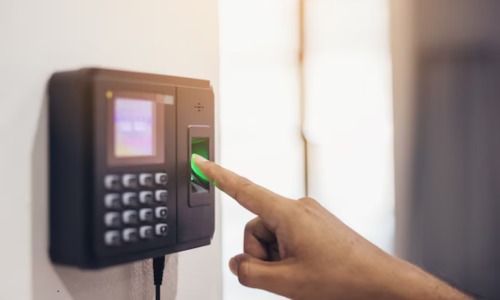
How to Install a Fingerprint Attendance System in Kochi – Step-by-Step Guide
How to Install a Fingerprint Attendance System in Kochi is a common search by offices, factories, schools, clinics, and retail businesses looking to replace manual registers with accurate, tamper-proof attendance tracking. Biometric systems reduce time theft, prevent buddy punching, and give HR teams real-time visibility into employee attendance. In a growing business hub like Kochi, installing a fingerprint attendance system helps organizations improve productivity, compliance, and payroll accuracy with minimal ongoing effort.
This step-by-step guide explains how to choose the right biometric device, how to install and configure it properly, common mistakes to avoid, and best practices for long-term reliability.
Why Install a Fingerprint Attendance System?
Manual attendance methods are prone to errors and manipulation. Biometric systems verify identity using unique fingerprints, making attendance records accurate and trustworthy.
Key benefits include:
-
Eliminates proxy attendance
-
Improves payroll accuracy
-
Saves HR time on manual calculations
-
Provides real-time attendance data
-
Supports compliance and audit readiness
-
Integrates with HR/payroll software
For multi-shift operations in Kochi’s IT parks, factories, and service offices, biometric attendance simplifies workforce management.
Step 1: Assess Your Business Requirements
Before purchasing any device, define your needs clearly:
-
Number of employees
-
Number of entry points
-
Indoor or outdoor installation
-
Internet connectivity (LAN/Wi-Fi/4G)
-
Integration with HR or payroll software
-
Shift patterns and overtime rules
This assessment prevents overspending on features you don’t need or underbuying devices that can’t handle your workforce size.
Step 2: Choose the Right Fingerprint Attendance Device
Fingerprint attendance systems vary by features and capacity.
Key Features to Look For
-
Fast fingerprint recognition
-
Capacity for employee templates
-
Offline storage with sync
-
LAN/Wi-Fi connectivity
-
Cloud or software integration
-
Backup power support
Common Types
-
Standalone fingerprint devices
-
Networked biometric terminals
-
Multi-modal devices (fingerprint + card + PIN)
Choosing a device that supports future expansion avoids replacement costs later.
Step 3: Plan the Installation Location
Where you place the device affects accuracy and lifespan.
Best practices:
-
Install near main entry/exit points
-
Mount at chest height for easy scanning
-
Avoid direct sunlight and moisture
-
Ensure stable power supply
-
Provide queue space to avoid congestion
For factories or outdoor gates, use weather-protected enclosures.
Step 4: Hardware Installation
Tools Required
-
Wall plugs and screws
-
Drill
-
Power adapter
-
Ethernet cable (if wired)
Installation Steps
-
Mount the device securely on the wall
-
Connect power supply
-
Connect LAN cable or configure Wi-Fi
-
Check device boot and touchscreen/keys
-
Test fingerprint sensor response
Secure mounting prevents tampering and accidental damage.
Step 5: Software Setup & Configuration
Most biometric systems include management software or cloud dashboards.
Initial Setup
-
Install software on HR computer or access cloud portal
-
Add company details
-
Configure shifts, working hours, and overtime rules
-
Set admin access permissions
Device Linking
-
Register the device in the software
-
Sync time and date
-
Configure data upload intervals
This step ensures attendance data flows correctly into reports and payroll.
Step 6: Employee Enrollment
Enroll fingerprints carefully to ensure high recognition accuracy.
Best Practices for Enrollment
-
Clean and dry fingers before scanning
-
Capture multiple fingerprints per employee
-
Train staff on proper finger placement
-
Verify each enrolled profile
Proper enrollment reduces false rejections and scanning delays.
Step 7: Testing & Pilot Run
Before full deployment, conduct a pilot test:
-
Ask a small group to clock in/out
-
Verify data appears in reports
-
Check shift rules and late marks
-
Test offline mode and resync
-
Simulate power/internet outage
Fix issues early to avoid payroll disputes later.
Step 8: Staff Training & Usage Policy
Even the best system fails without user adoption.
Train employees on:
-
How to scan correctly
-
What to do if scan fails
-
Attendance policies
-
Consequences of misuse
Create a simple SOP (Standard Operating Procedure) for daily use.
Step 9: Maintenance & Data Backup
Ongoing maintenance ensures reliability:
-
Clean fingerprint sensor weekly
-
Check power connections
-
Update firmware/software
-
Backup attendance data
-
Audit logs monthly
Preventive maintenance avoids sudden system failures during payroll periods.
Common Installation Mistakes to Avoid
-
Placing device in direct sunlight
-
Poor network connectivity
-
Skipping staff training
-
Not setting backup power
-
Ignoring data security
-
Not testing before full rollout
Avoiding these mistakes saves time and prevents HR disputes.
Cost of Fingerprint Attendance System Installation in Kochi
Costs depend on:
-
Device features and capacity
-
Number of devices
-
Software type (cloud vs local)
-
Installation service
-
AMC/support plans
While upfront costs exist, businesses usually recover costs through reduced payroll errors and admin time savings.
When to Use Professional Installation Services
Consider professional help if you:
-
Have multiple entry points
-
Need HR/payroll integration
-
Want server or cloud setup
-
Require access control integration
-
Need maintenance support
Local providers such as Asquare Distributors often assist with biometric attendance system supply and installation for offices and commercial spaces (availability and suitability may vary; verify certifications and support terms).
Final Thoughts
How to Install a Fingerprint Attendance System in Kochi is not just about mounting a device—it’s about choosing the right hardware, configuring software properly, training staff, and maintaining the system for long-term reliability. When installed correctly, biometric attendance systems improve transparency, reduce time theft, and simplify HR operations. With proper planning and execution, businesses in Kochi can implement a scalable attendance solution that supports growth and compliance.
FAQs
Q: How long does it take to install a fingerprint attendance system?
A basic single-device setup can be completed within a few hours, including mounting, software setup, and testing.
Q: Do fingerprint attendance systems work without internet?
Yes. Most devices store data offline and sync automatically when the internet is restored.
Q: Is fingerprint attendance legal in India?
Yes, biometric attendance is legal for workplace use when implemented with employee consent and data protection practices.
Q: Can biometric attendance integrate with payroll software?
Yes. Many systems integrate with HRMS and payroll software for automated salary calculation.
Q: What if a fingerprint doesn’t scan properly?
Re-enroll the fingerprint, use multiple fingers, or enable PIN/card as backup authentication.
Q: How often should the device be maintained?
Clean sensors weekly and perform software updates monthly for best performance.


